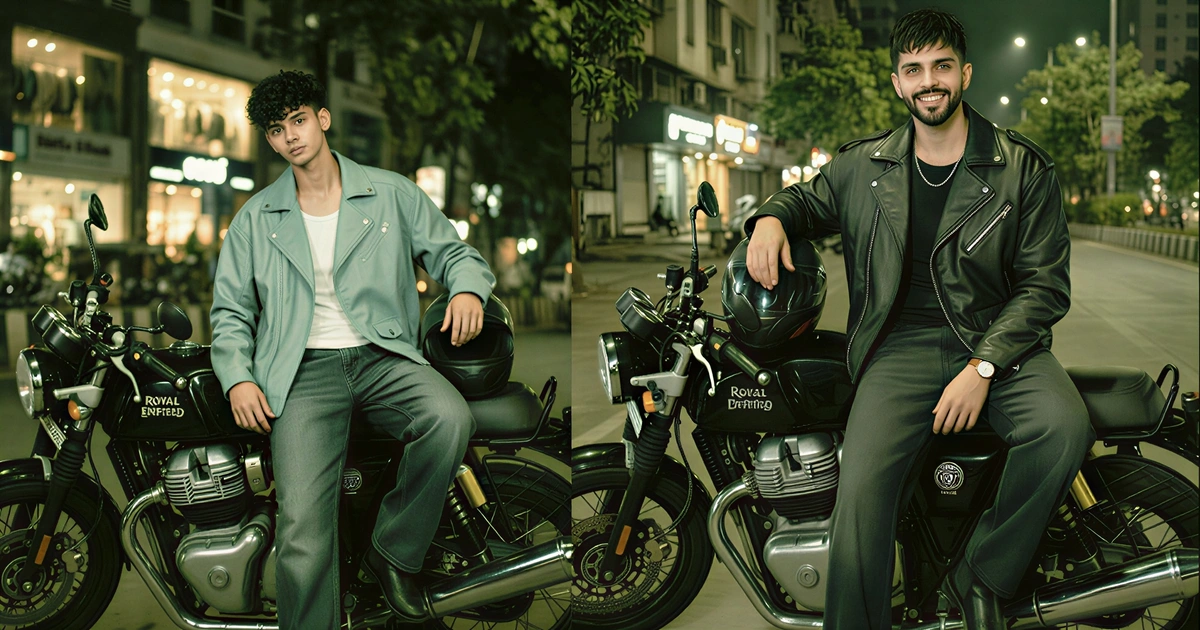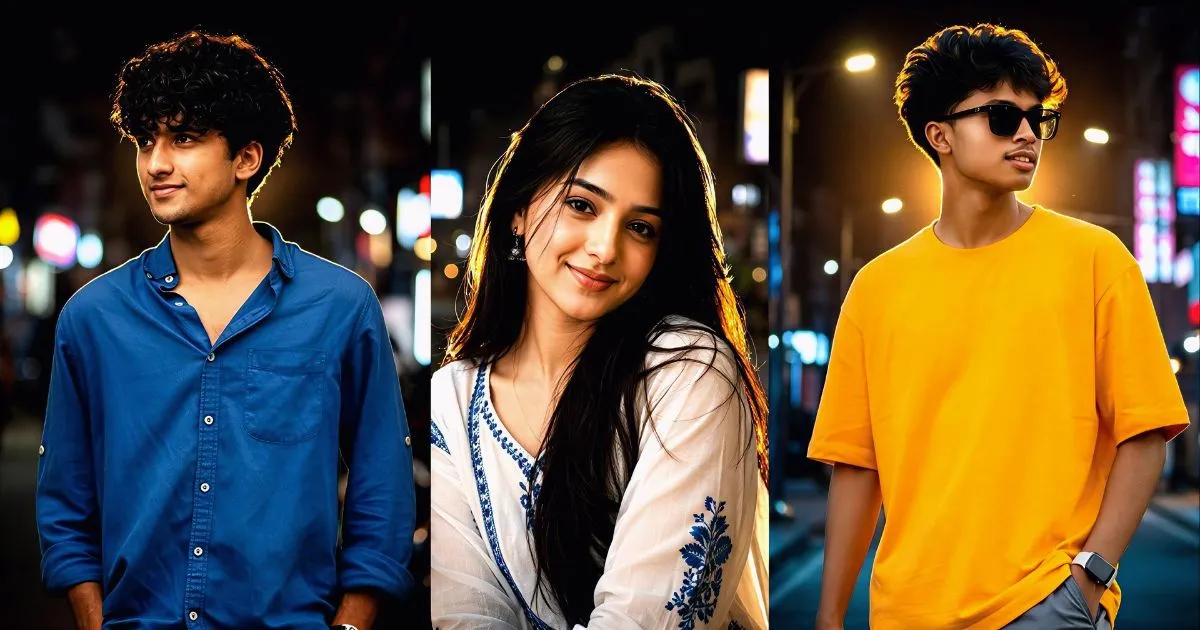
Night Glow Effect AI Prompt : A single glowing streetlight, a misty road, and a subject standing beneath soft neon reflections can instantly transform an ordinary image into a cinematic masterpiece. That is exactly why the Night Glow Effect has become one of the most popular visual styles among AI image creators, photographers, and digital artists.
The appeal is simple. Night scenes naturally create emotion. They add mystery, depth, and atmosphere that daylight images often struggle to achieve. When combined with advanced AI image generation tools, glowing lights, vibrant reflections, and cinematic shadows can produce stunning visuals that look like scenes from a big-budget movie.
Whether you are creating social media content, AI art, YouTube thumbnails, profile pictures, or professional digital portraits, mastering the Night Glow Effect can dramatically improve the quality of your results. The secret lies in understanding how to structure an effective AI Prompt that guides the model toward realistic lighting, balanced colors, and cinematic composition.
This guide covers everything you need to know about creating eye-catching Night Glow Effect photos with AI, including prompt writing techniques, lighting principles, common mistakes, and expert-level prompt examples.
What Is the Night Glow Effect?
The Night Glow Effect is a visual style that emphasizes glowing light sources within a nighttime environment. These light sources can include:
- Neon signs
- Street lamps
- Car headlights
- LED lights
- City reflections
- Moonlight
- Decorative lighting
- Colored ambient illumination
Unlike standard night photography, this style focuses heavily on how light interacts with the surrounding environment. The glow creates contrast, highlights facial features, enhances depth, and produces a cinematic atmosphere.
AI image generators interpret these lighting instructions and use them to simulate realistic illumination patterns, resulting in highly detailed and visually appealing images.
Night Glow Effect Prompt Source 👇
Why the Night Glow Effect Is Trending Now A days
Night-themed AI photography has gained massive popularity because it instantly creates a premium visual appearance.
Several factors contribute to its popularity:
- Creates cinematic storytelling
- Enhances mood and emotion
- Makes portraits look professional
- Produces eye-catching social media content
- Works well with futuristic aesthetics
- Generates strong visual contrast
- Looks realistic when prompted correctly
Many viral AI-generated portraits on Instagram, Pinterest, and YouTube feature glowing urban environments because they naturally attract attention and encourage engagement.
Read Also : Mini Chibi Prompt Cartoon Style Ai Editing
Tips By TUB AI for Creating Viral Night Glow Images
If your goal is social media growth, focus on visual impact.
Some proven strategies include:
- Use strong color contrast
- Add reflections on wet surfaces
- Include cinematic fog
- Keep backgrounds uncluttered
- Emphasize facial lighting
- Use realistic skin textures
- Create a clear focal point
- Add depth through bokeh effects
Images that combine these elements often perform better on visual platforms because they immediately capture attention.
Best Color Combinations for Night Glow Effects
Color selection can completely change the mood of an image.
Blue and Purple
This combination creates a futuristic and cinematic atmosphere.
Ideal for:
- Cyberpunk portraits
- Urban photography
- Social media profile images
Orange and Blue
A classic Hollywood color scheme.
Ideal for:
- Movie-style portraits
- Dramatic scenes
- Action-inspired visuals
Pink and Cyan
Creates a modern neon aesthetic.
Ideal for:
- Fashion photography
- AI influencer images
- Creative portraits
Green and Yellow
Produces a mysterious and moody look.
Ideal for:
- Fantasy scenes
- Adventure themes
- Storytelling images
Common Mistakes That Ruin Night Glow Effect Photos
Even powerful AI tools can produce weak results when prompts lack detail.
Avoid these common mistakes.
Using Generic Prompts
A prompt such as “night photo of a person” yields very little information.
More detailed prompts generate significantly better outcomes.
Ignoring Lighting Directions
Without lighting instructions, AI may create flat or unrealistic illumination.
Always specify:
- Light source
- Color
- Intensity
- Direction
Overloading the Prompt
Adding too many conflicting instructions can confuse the AI model.
Focus on one visual theme.
Forgetting Environmental Details
The background plays a huge role in cinematic storytelling.
Include:
- Rain
- Fog
- Reflections
- City lights
- Neon signs
Conclusion
The Night Glow Effect is one of the most effective styles for creating cinematic AI-generated portraits and artistic night photography. Its combination of glowing lights, dramatic shadows, atmospheric reflections, and rich color contrast creates visuals that feel immersive and professional.
Success largely depends on the quality of your AI Prompt. Rather than using vague descriptions, focus on specific lighting directions, environmental details, camera settings, and cinematic elements. A well-crafted prompt gives AI the information it needs to generate realistic and visually striking images.
With the right approach, you can create breathtaking night portraits that resemble scenes from a movie, stand out on social media, and showcase the full creative potential of modern AI image generation.