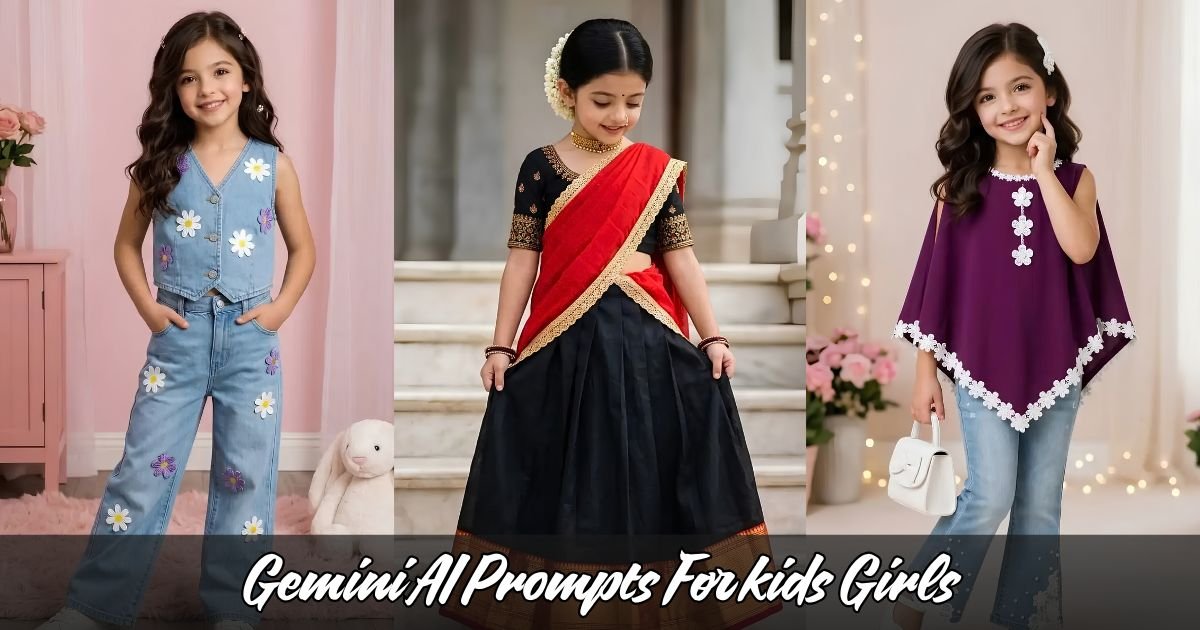
A simple childhood photograph can become something completely different with the right AI editing idea. A garden can turn into a fairytale setting, an ordinary outfit can become a colorful storybook look, and a basic portrait can gain a beautifully designed background without losing the natural personality of the child.
That is why Gemini AI Prompts For kids Girls are becoming popular among parents and family-content creators who want creative, age-appropriate images for Instagram.
The key is not adding unnecessary effects. Good AI photo editing keeps the child looking natural while improving the setting, colors, lighting, and overall storytelling.
Below are 10 creative ideas you can use with Gemini for family-friendly Instagram content. All of the concepts are designed around cheerful, innocent, and age-appropriate children’s photography.
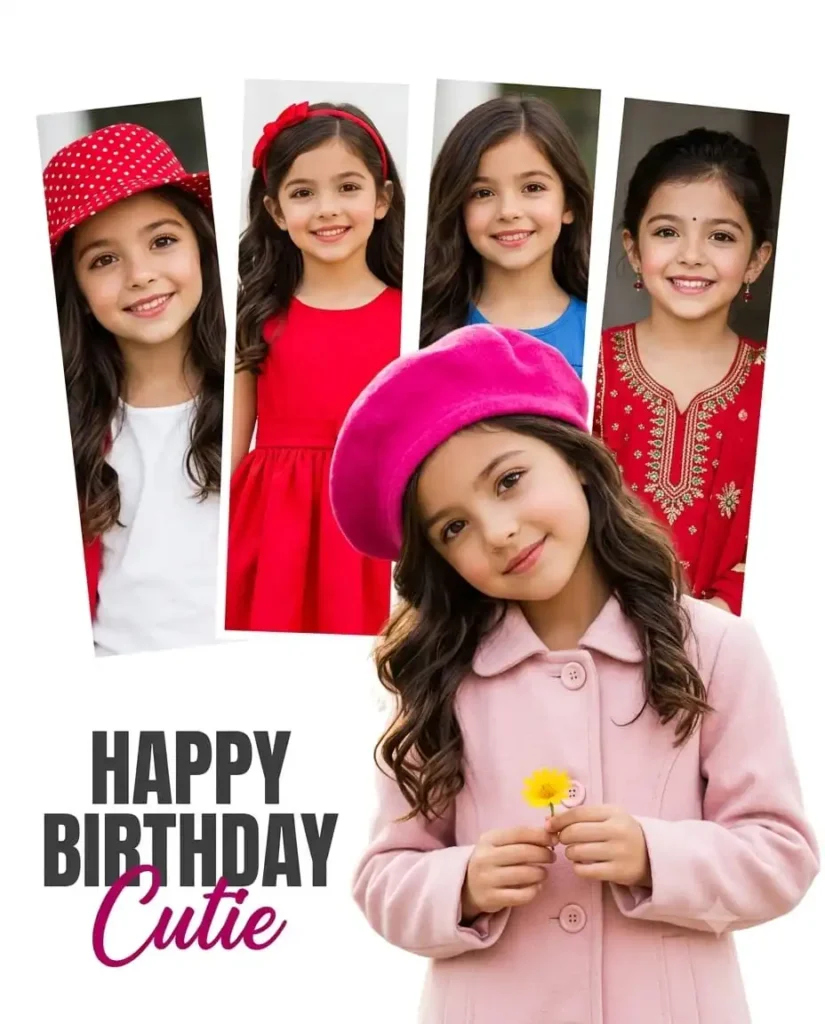
Use my uploaded reference image and Turn into A birthday greeting photo collage poster featuring a cute young girl from the reference photo. In the foreground, she wears a light pink buttoned coat, a vibrant hot pink beret hat, holds a small yellow flower, and tilts her head slightly with a gentle smile. In the background, four vertical tilted photo strip snapshots show her in different outfits (red polka dot hat, bright red dress with red headband, blue top, and red embroidered traditional attire with a small bindi) displaying happy expressions. Bright white studio background with soft lighting, high-definition photography, sharp focus, vibrant color grading, natural skin texture, and modern graphic collage style. In the bottom left corner, bold typography reads “HAPPY BIRTHDAY Cutie” in dark gray and magenta script. Image ratio Strictly 4:5, 8K UHD.
2. Prompt
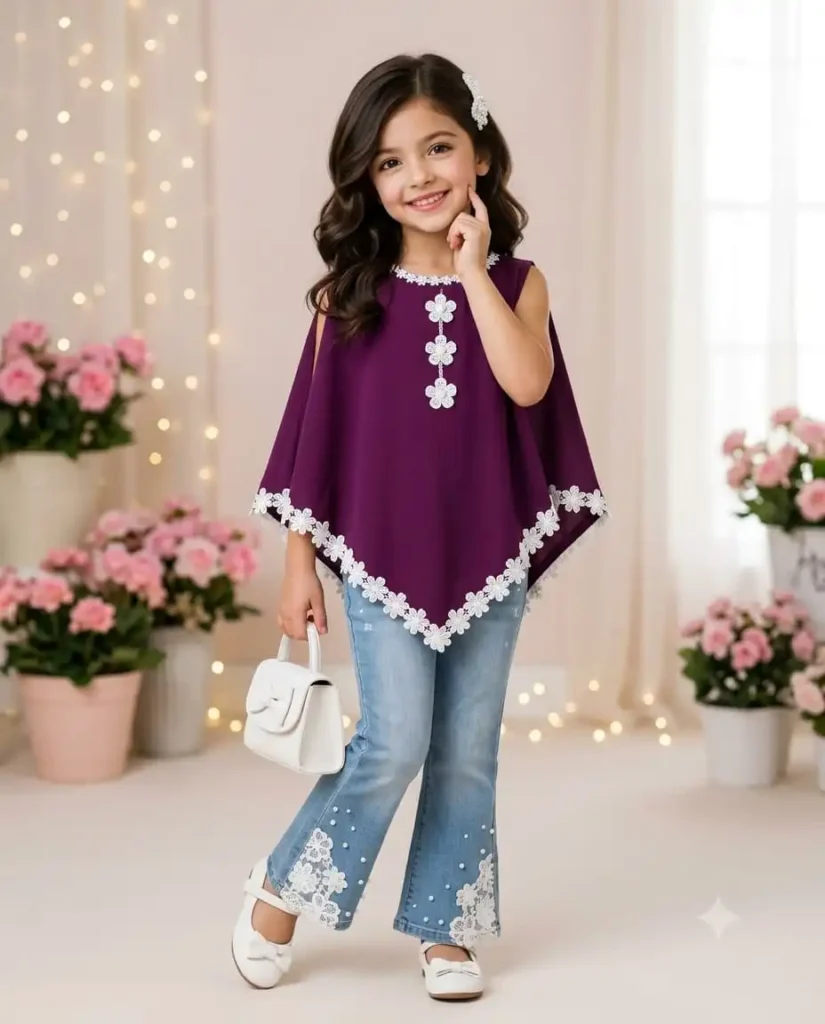
Use my uploaded reference image ONLY as the identity source. The person must remain fully recognizable as the same person. Do not change identity, face shape, age appearance, gender, or unique facial characteristics. Recreate the image with the reference subject in place of the child: A young girl standing in a full-length studio portrait pose, wearing a sleeveless deep purple poncho-style tunic with white floral trim along the asymmetric scalloped hem and neckline, adorned with three white floral appliqués down the front. Paired with light-wash denim flare jeans embellished with pearl accents and white lace flower patches along the bottom hems, and white mary jane shoes with bow details. She has shoulder-length dark brown wavy hair styled with a decorative white hair clip on one side. Pose: body angled slightly, one hand touching her cheek near her smile, the other holding a small white handbag with a bow. Pose and expression: cheerful, smiling naturally towards the camera. Environment: elegant indoor studio with soft pastel background, potted pink flowers, fairy lights bokeh, and bright, soft studio lighting. Ultra realistic, photorealistic, 8K UHD, extremely detailed, natural skin texture, realistic hair details, professional camera quality, sharp focus, realistic lighting, cinematic quality, no AI generated look.Negative Prompt: Avoid face distortion, different identity, changed facial features, fake skin, plastic skin, cartoon look, AI artifacts, blur, low quality, extra fingers, wrong body proportions, incorrect colors, unnatural lighting. Image ratio Strictly 4:5, 8K UHD.
3. Prompt
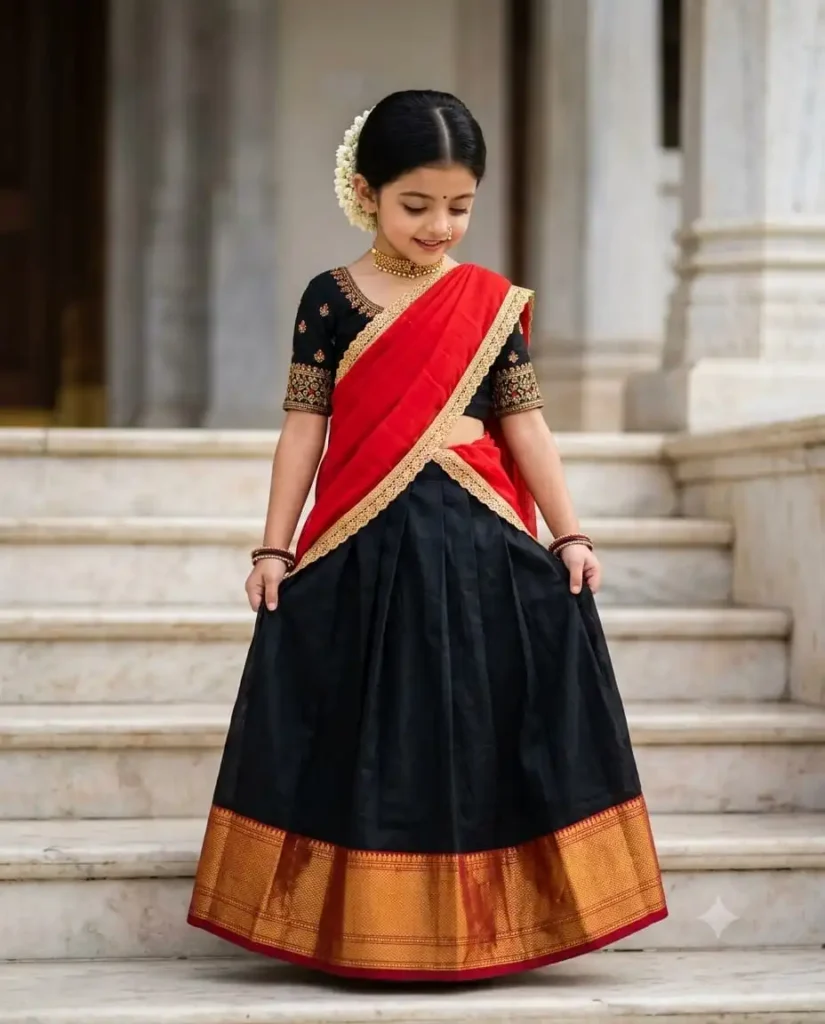
Use my uploaded reference image ONLY as the identity source. The person must remain fully recognizable as the same person.Subject & Expression: Gentle, shy downward gaze with a subtle smile. Dark brown eyes slightly cast down, soft eyebrows, natural light skin tone with realistic skin texture. Dark black hair styled in a neat low bun or braid adorned with fresh white jasmine flowers (gajra) hanging on one side. Small bindi on the forehead, small traditional nose ring, gold choker necklace, and matching traditional bangles on both wrists.Outfit & Accessories: Wearing a traditional half-saree (pattu pavadai). Black pleated skirt (lehenga) featuring a wide golden-orange zari border at the bottom. Black short-sleeved blouse with intricate gold embroidery along the sleeve borders. A vivid red dupatta (dhavani) draped diagonally across the torso with a golden embroidered lace border.Pose & Framing: Full-body vertical shot, standing on marble steps. Both hands are gently holding the sides of the skirt/dupatta, lifting it slightly. Head is tilted softly downward.Setting & Environment: Outdoor temple or grand traditional Indian palace entrance with light cream and off-white marble steps and pillars in the background. Soft daylight creating clean highlights and natural shadows.Photography & Style: Professional eye-level photo shot on an 85mm portrait lens, shallow depth of field with a softly blurred background (bokeh). Ultra realistic, photorealistic, 8K UHD, extremely detailed, natural skin texture, realistic hair details, professional camera quality, sharp focus on the child, realistic lighting, cinematic quality, natural color grading with vibrant reds and rich blacks, no AI generated look.Negative Prompt: Avoid face distortion, different identity, changed facial features, fake skin, plastic skin, cartoon look, AI artifacts, blur, low quality, extra fingers, wrong body proportions, incorrect colors, unnatural lighting. Image ratio Strictly 4:5, 8K UHD
4. Prompt
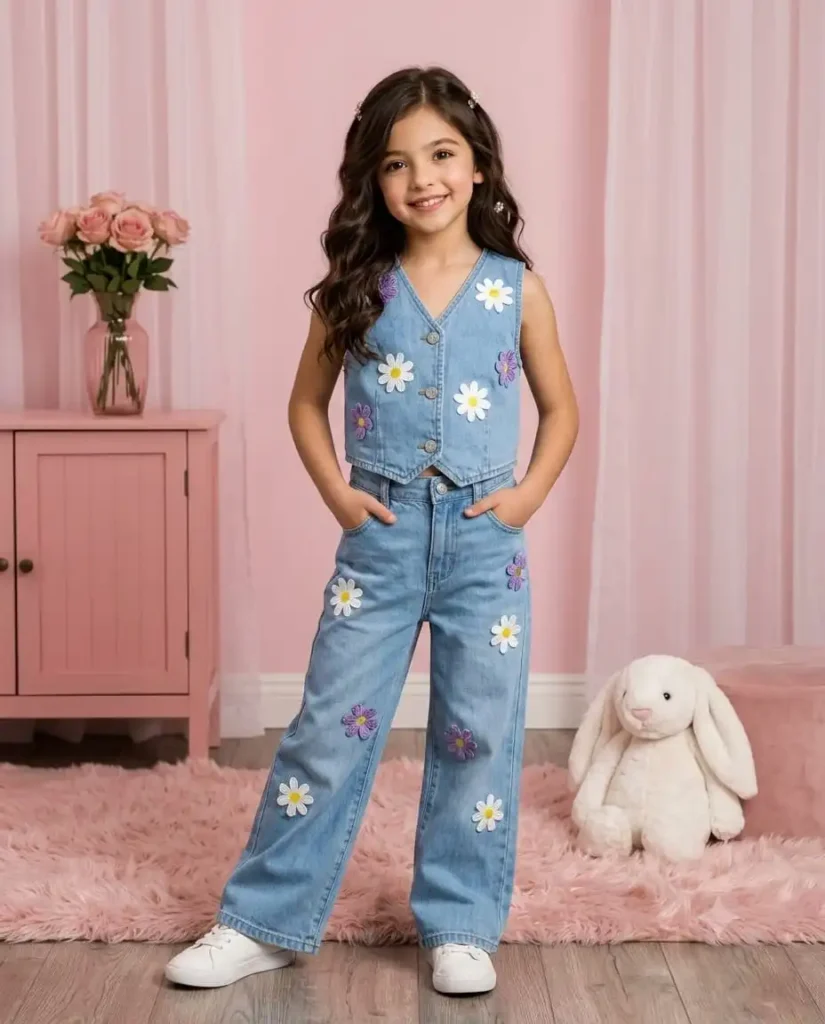
Use my uploaded reference image ONLY as the identity source. The person must remain fully recognizable as the same person. Do not change identity, face shape, age appearance, gender, or unique facial characteristics. Recreate the precise composition, pose, outfit, and environment described below:Identity & Pose: Replace the child’s identity with my reference image identity while keeping everything else identical. A cute young girl stands in a full-length, slightly asymmetrical stance with hands tucked casually into her pockets. She has a subtle, gentle smile directed at the camera with her head tilted slightly to one side.Outfit & Styling: She wears a stylish two-piece light-blue denim outfit featuring white and purple fabric flower appliques. The top is a sleeveless denim vest with front buttons and patch pockets, adorned with prominent daisy-like flower patches. The bottoms are wide-leg denim pants featuring matching flower patches near the knees and bottom hem. Styled with clean white sneakers on her feet and long, wavy dark brown hair styled naturally with small decorative hair clips.Environment & Background: A soft, pastel pink-themed indoor studio setting. She stands on a round, fuzzy light pink rug over light wooden floors. In the background to the left sits a light pink wooden cabinet topped with a pink vase of fresh pink roses and a small white lantern. Sheer, floor-length light pink curtains frame the right side, with a plush white stuffed bunny toy seated on the floor beside her.Photography & Lighting: Full-body vertical shot, eye-level camera angle with crisp, professional focus on the child. Soft, diffused studio lighting creates delicate shadows and soft highlights across the scene, establishing a cozy, warm, and playful aesthetic.Quality Requirements: Ultra realistic, photorealistic, 8K UHD, extremely detailed, natural skin texture, realistic hair details, professional camera quality, sharp focus, realistic lighting, cinematic quality, no AI generated look.Avoid: Face distortion, different identity, changed facial features, fake skin, plastic skin, cartoon look, AI artifacts, blur, low quality, extra fingers, wrong body proportions, incorrect colors, unnatural lighting. Image ratio Strictly 4:5, 8K UHD.
5. Prompt
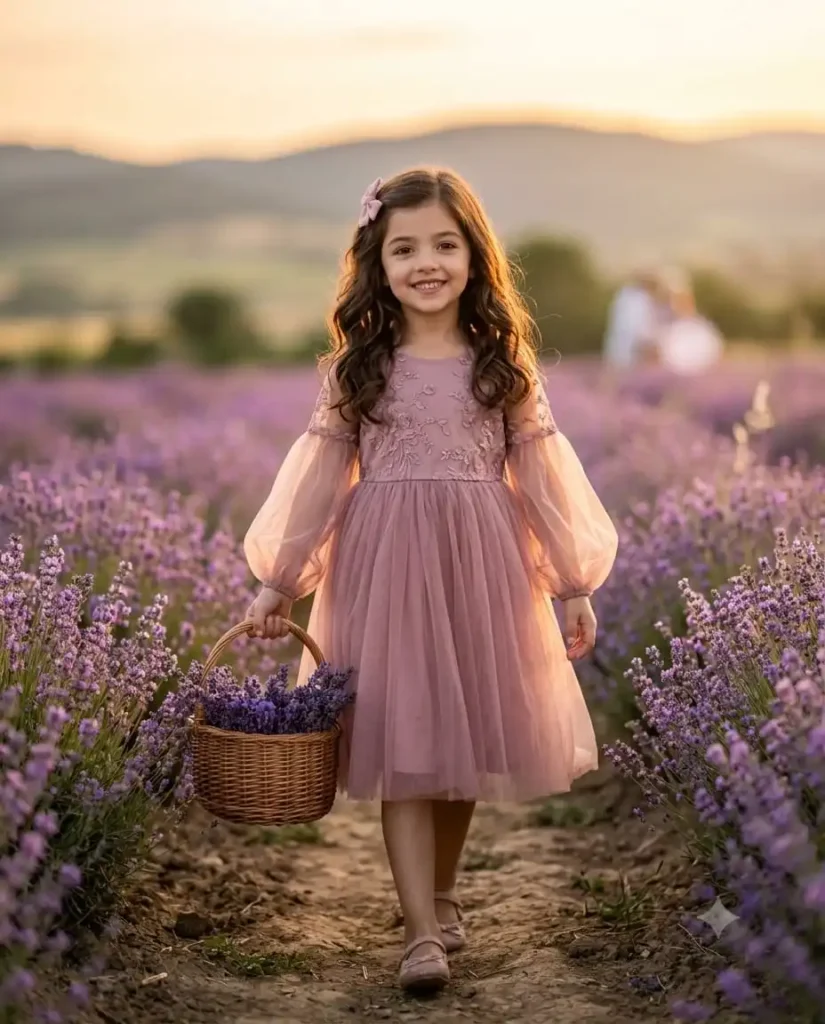
Use my uploaded reference image and Turn into A full-length candid photograph of a young girl walking through a blooming lavender field at golden hour. She wears a soft dusty-pink tulle dress with long sheer bishop sleeves, embroidered bodice details, and a small pink hair bow in her long, wavy light-brown hair. She holds a small woven wicker basket filled with fresh lavender stems. Side profile view as she looks toward the setting sun, walking on a narrow dirt path between lavender rows. Warm backlight creates a soft rim light on her hair and dress, with a hazy, glowing sunset sky and distant rolling hills softly blurred in the background. Cinematic, dreamy atmosphere, shallow depth of field, 85mm lens look, soft pastel color grading, photorealistic detail. Looking front side of the Camera, Image ratio Strictly 4:5, 8K UHD.
How to Get Better Results From Gemini Photo Editing
Using good AI photo editing prompts is only one part of the process. The quality of the original photograph matters considerably.
For better results, start with a clear image where the child’s face is visible and the lighting is reasonably good. Avoid heavily compressed photographs or images where important facial features are hidden.
When using Gemini photo editing, clearly explain what should remain unchanged. For children’s photographs, this is especially useful because unnecessary changes to facial features, age, proportions, or identity can make the result look unnatural.
A strong workflow usually includes:
Upload a clear original photograph.
Describe the desired environment.
Specify the lighting and photography style.
Tell Gemini to preserve identity and natural proportions.
Request realistic textures and details.
Review the generated result carefully.
Make small adjustments instead of completely changing the concept.
Why Simple AI Image Generation Prompts Often Work Better
Long descriptions aren’t automatically better.
A good AI image generation prompt should provide enough information for the AI to understand the scene without creating conflicting instructions.
Think about five major components:
Subject: Who or what is the focus?
Environment: Where should the scene take place?
Lighting: Is it daylight, golden hour, soft indoor lighting, or another style?
Photography: Should the result resemble a portrait, lifestyle photograph, or cinematic scene?
Restrictions: Which elements should remain unchanged?
This structure can make your Gemini AI image prompts easier to control.
FAQ:-
Can Gemini be used for children’s Instagram photo editing?
Yes. Gemini can be used for creative, family-friendly photo editing and image generation. Keep edits age-appropriate and avoid changing the child’s identity or creating mature-looking imagery.
What type of AI prompts work best for kids’ photos?
Clear prompts describing the setting, lighting, photography style, and desired atmosphere tend to work well. It is also useful to specify that the child’s identity, age, facial features, and natural proportions should remain unchanged.
Final Conclusion
The best Gemini AI Prompts For kids Girls aren’t necessarily the most complicated. They are the ones that give Gemini a clear creative direction while protecting the natural identity and age-appropriate appearance of the child.
Fairytale gardens, birthday celebrations, flower fields, winter scenes, school environments, and family travel themes provide plenty of opportunities to create engaging Instagram content. With thoughtful Instagram AI photo editing, even a simple family photograph can become a polished visual story.
Use AI as an editing and storytelling tool rather than a replacement for the original personality of the photograph. That approach generally produces images that feel more authentic, memorable, and suitable for sharing with family and friends.