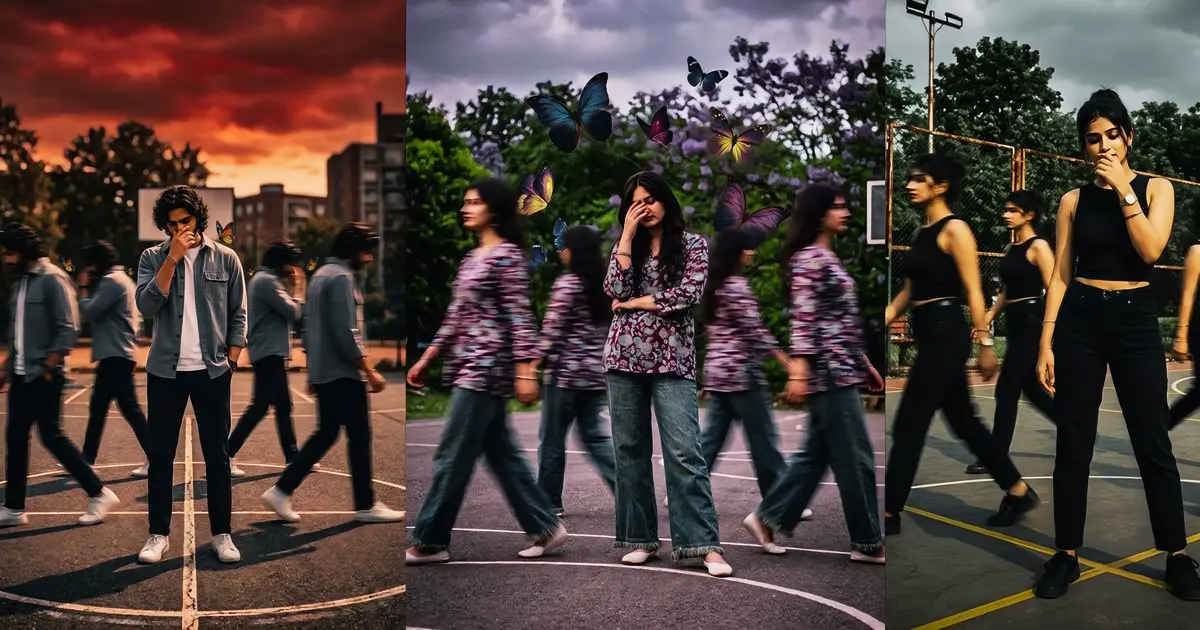
Aesthetic Motion : A few years ago, a well-edited portrait was enough to grab attention online. A clean background, decent lighting, and a good pose could easily stand out in crowded social feeds. That is no longer the case.
Scroll through Instagram, YouTube Shorts, or AI art communities today, and one trend appears repeatedly. Images that look alive.
Hair flowing with the wind. Clothing reacting to movement. Cinematic camera angles. Motion blur creating energy inside a single frame.
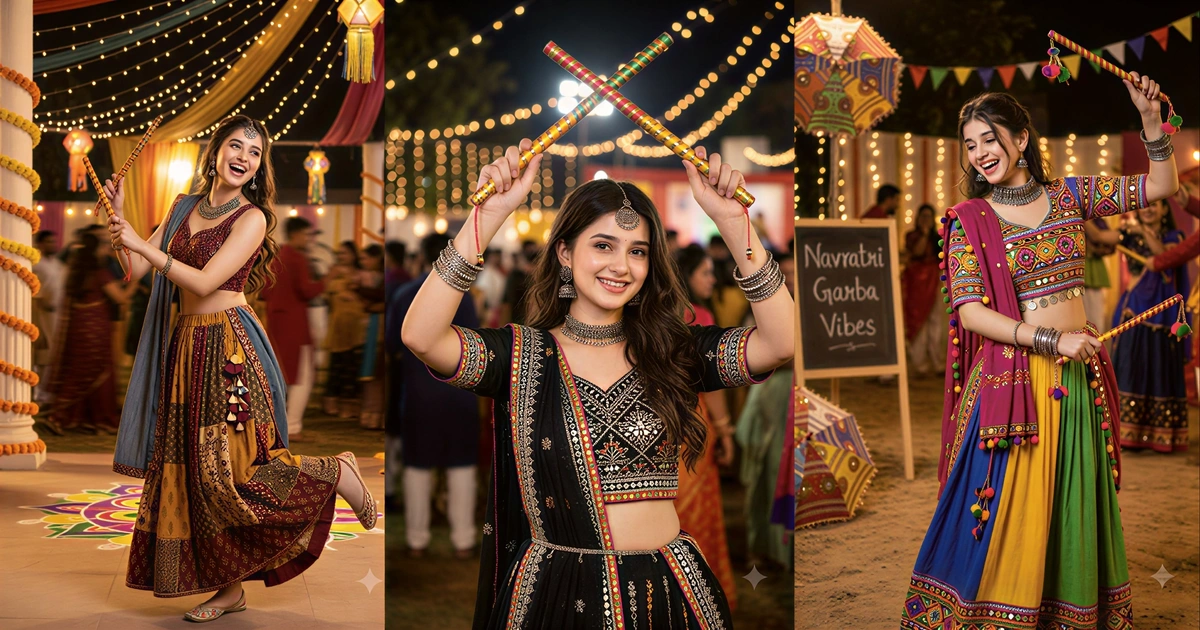
This visual style is commonly known as Aesthetic Motion, and it has become one of the most popular AI editing techniques among content creators, digital artists, influencers, and social media marketers.
The reason is simple. Human eyes are naturally drawn toward movement. Even when motion exists only as an illusion within a still image, it creates a stronger emotional response than a completely static photograph.
If you want your AI-generated images to look more professional, cinematic, and social-media-ready, understanding how Aesthetic Motion prompts work can dramatically improve your results.
Why Motion-Based AI Visuals Are Dominating Social Media Feeds
Traditional photo editing focuses heavily on color correction, skin retouching, and background enhancement. Motion-focused editing introduces an entirely different dimension.
Instead of improving only appearance, it enhances perceived energy.
Aesthetic Motion prompts encourage AI models to simulate movement through elements such as:
- Wind-blown hair
- Flowing clothing
- Flying particles
- Motion blur
- Dynamic camera angles
- Moving vehicles
- Rain and water splashes
- Floating dust effects
- Speed trails
- Cinematic environmental effects
These elements make an image feel like a frame captured from a movie rather than a simple photograph.
As platforms become increasingly visual, motion-inspired imagery often receives higher engagement because it appears more immersive and emotionally engaging.
Aesthetic Motion Prompt Source 👇
The Psychology Behind Aesthetic Motion Effects
Motion creates anticipation. When viewers see an image containing dynamic movement, their brains instinctively attempt to predict what happens next.
This natural curiosity increases viewing time and improves engagement.
Consider these examples:
| Static Image | Motion-Based Image |
|---|---|
| Person standing still | Person walking through rain |
| Car parked on road | Car speeding with light trails |
| Portrait with plain background | Portrait with wind and flying particles |
| Landscape photo | Landscape with moving clouds and fog |
The second version consistently feels more cinematic because it tells a story without requiring additional context.
That storytelling effect is what makes Aesthetic Motion prompts so effective.
Read Also : Rainy Night Propose Scene Prompt
Small Prompt Tweaks That Produce Dramatically Better Results
Many experienced AI artists spend more time refining prompts than generating images.
Minor adjustments can transform average outputs into exceptional visuals.
Add Environmental Motion
Instead of focusing only on the subject, introduce movement throughout the scene.
Examples include:
- Falling leaves
- Snow particles
- Rain streaks
- Flying fabric
- Dust clouds
- Ocean waves
These details strengthen the illusion of action.
Specify Camera Movement
Words associated with filmmaking often improve realism.
Useful terms include:
- Tracking shot
- Dynamic perspective
- Low-angle shot
- Wide cinematic frame
- Action photography
- Motion capture style
Use Lighting Intentionally
Lighting significantly influences mood.
Popular choices include:
- Golden hour sunlight
- Neon city lighting
- Moody blue tones
- Sunset glow
- Volumetric light rays
- Soft cinematic highlights
Combining motion with dramatic lighting creates stronger visual impact.
Common Mistakes That Ruin Motion-Based AI Images
Even powerful prompts can produce disappointing results when key mistakes occur.
Overloading the Prompt
Adding too many effects creates visual chaos.
Strong images usually emphasize one primary motion source and a few supporting elements.
Ignoring Subject Focus
Movement should enhance the subject, not distract from it.
When every element appears in motion, viewers may struggle to identify the focal point.
Conflicting Lighting Instructions
Avoid combining incompatible lighting requests.
For example:
- Bright midday sunlight
- Dark cinematic night scene
Requesting both simultaneously often confuses the AI model.
Excessive Motion Blur
Motion blur should suggest movement, not hide important details.
Balance is essential.
FAQs
What makes an Aesthetic Motion prompt different from a normal AI photo prompt?
An Aesthetic Motion prompt focuses on simulated movement, cinematic effects, dynamic composition, and environmental action rather than only appearance or image quality.
Which AI image generators work best for Aesthetic Motion edits?
Popular options include OpenAI image generation tools, Google Gemini-based image tools, Midjourney, and Stability AI models, depending on the desired artistic style.
Can Aesthetic Motion prompts improve YouTube thumbnails?
Yes. Motion-based visuals often attract attention more effectively because they create a stronger sense of action, curiosity, and storytelling within a single image.
Conclusion
Aesthetic Motion is not merely another AI trend. It reflects a broader shift toward visual storytelling that feels immersive and emotionally engaging.
The strongest results rarely come from complicated prompts packed with random keywords. They come from thoughtfully combining movement, lighting, atmosphere, and composition.
Start with a simple cinematic scene, add one or two realistic motion elements, and refine your prompt through experimentation.
Small adjustments often create the biggest improvements. As your understanding grows, you’ll be able to generate images that feel less like AI creations and more like scenes captured from a professional film production.